

Adding FAQ schema is one of the fastest ways to boost visibility in voice search, Google snippets, and AI tools like ChatGPT. If your content answers questions but doesn’t use structured data, search engines might overlook it. Let’s fix that. In this guide, I’ll show you exactly how to add FAQ schema using JSON-LD, avoid common markup mistakes, and turn your blog into a trusted answer source. What Is FAQ Schema? FAQ schema is a type of structured data (in JSON-LD format) that tells search engines your page includes frequently asked questions and answers. When implemented correctly, it can trigger rich results in Google search. Example Output: Voice assistants reading your answers aloud Featured snippet sections with collapsible Q&As More visibility in “People Also Ask” sections Why It Matters for AEO and Voice Search Search engines and AI tools scan your content for answer-ready data. FAQ schema: Increases trust signals with Google and AI tools Boosts voice-search visibility by structuring answers clearly Enhances UX with visible Q&As in search results It’s essential for any business serious about AEO (Answer Engine Optimization). How to Add FAQ Schema with JSON-LD (Step-by-Step) 1. Format Your Content Properly Use clear H2s for questions Keep answers 2–4 sentences Make sure they’re factually correct and helpful 2. Generate Your JSON-LD Here’s a sample FAQ schema: <script type=”application/ld+json”>{“@context”: “https://schema.org”,“@type”: “FAQPage”,“mainEntity”: [{“@type”: “Question”,“name”: “What is FAQ schema?”,“acceptedAnswer”: {“@type”: “Answer”,“text”: “FAQ schema is structured data that helps search engines identify and feature your content as a list of questions and answers.”}},{“@type”: “Question”,“name”: “How does FAQ schema help SEO?”,“acceptedAnswer”: {“@type”: “Answer”,“text”: “It boosts visibility in Google search and voice search by turning Q&As into rich results and snippets.”}}]}</script> 3. Add to Your Page’s HTML Paste the JSON-LD code before the closing </body> tag of your blog post’s HTML or use your CMS’s schema plugin. 4. Validate It Use Google’s Rich Results Test to make sure your FAQ schema is implemented correctly. Common FAQ Schema Mistakes to Avoid Too many questions (Stick to 3–5) Duplicate questions or answers Misusing FAQs as marketing content Not matching on-page content with schema Google wants helpful, relevant answers—not fluff. My Proven FAQ Schema Process When I write or optimize blogs for clients, I: Identify real search queries using tools and insights Structure FAQ sections with voice-search formatting Write conversational answers that AI can understand Add and validate JSON-LD before publishing It’s part of how I build content that shows up, speaks up, and converts. Quick AEO Answer Snippet How do you add FAQ schema to a blog? Add a valid JSON-LD FAQ script to your blog’s HTML, match it to your on-page content, and validate it using Google’s Rich Results Test. FAQs About FAQ schema markup What is FAQ schema markup? It’s a type of structured data that tells search engines your page contains a list of questions and answers, often displayed as rich results. Can I use FAQ schema on any page? Yes, as long as the content genuinely answers questions and follows Google’s guidelines. How many FAQs should I add? Keep it to 3–5 helpful, unique questions and answers. Will FAQ schema help with voice search? Absolutely. Structured answers are easier for voice assistants and AI tools to extract and read aloud. Do I need to know code to add FAQ schema? No. You can use schema generators or plugins if you’re not comfortable editing HTML directly. Final Thoughts If you’re blogging without structured data, you’re leaving search visibility on the table. Ready to upgrade your blogs with voice-search-ready, schema-rich answers? Let’s structure your next blog the right way — or book a free clarity call now.

The Difference Between Traditional SEO and AEO And Why You Need Both
Most blogs are still written for traditional SEO—focusing on keywords, backlinks, and ranking on page one. But search has evolved. People now use voice assistants, ask direct questions, and rely on AI tools like ChatGPT to find answers fast. This shift doesn’t make traditional SEO irrelevant. It makes it incomplete. To truly compete online today, you need both Traditional SEO and AEO (Answer Engine Optimization). In this post, I’ll break down what each approach does best—and how using both creates a future-proof content strategy. What Is Traditional SEO? Traditional SEO is the process of optimizing your website and content to rank in search engine results pages (SERPs). It focuses on: Keyword research and integration Backlink building On-page elements (meta tags, headers, image alt text) Technical SEO (site speed, mobile-friendliness) It’s about ranking—and it works. Especially for competitive, high-volume keywords and transactional intent. What Is AEO (Answer Engine Optimization)? AEO is the process of formatting content to directly answer user questions in a way that voice assistants, featured snippets, and AI tools can easily extract and present. It’s built for how people search now: Voice queries like “How do I write an AEO blog post?” AI tools pulling content from structured blogs Google snippets and People Also Ask boxes Where traditional SEO is about ranking, AEO is about being the answer. Want a deeper dive into AEO? Start here: What Is AEO and Why Your Blog Needs It Comparison Table: Traditional SEO vs AEO Feature Traditional SEO AEO (Answer Engine Optimization) Primary Goal Rank on page one Get featured as an answer Content Style Long-form, keyword-focused Concise, structured, answer-first Optimized For Search engine algorithms Voice assistants, AI tools, snippets Formatting Style Headers, paragraphs, keyword spread H2s, bullets, FAQs, schema markup Best Use Case Competitive keywords, blog traffic Quick answers, featured snippets Why You Need Both Most B2C businesses need to: Show up for product/service searches (Traditional SEO) Earn trust and visibility with helpful answers (AEO) Together, SEO and AEO: Improve organic reach across devices Maximize visibility in both Google results and AI platforms Build authority through structure and relevance Want blogs that rank and get featured? I help small businesses write and optimize blog content that shows up in voice search, snippets, and search results. Let’s build a strategy that does both. Contact me for your custom AEO + SEO blog plan FAQs About Answer Engine Optimization and search engine optimisation What is the difference between SEO and AEO? SEO is about ranking in search engines using keywords and backlinks. AEO is about answering specific user questions clearly for AI tools and voice search. Do I need both AEO and traditional SEO? Yes. Traditional SEO helps with ranking, while AEO helps you appear in snippets, voice search, and AI results. Together, they give you broader visibility. How do I optimize my blog for AEO? Use structured content, answer-first formatting, bullets, H2s, and FAQs. Include schema markup and write for voice search. Is AEO just for AI tools? No. AEO also improves visibility in Google snippets, voice search results, and People Also Ask sections. Can you help me write AEO blogs? Absolutely. I help small businesses write blogs that rank in search and get featured. Contact me here. Final Thoughts Want help making your blog AEO-ready? Contact me to get started or book a free clarity call. Let’s make your content easier to find, understand, and convert.

How to Write AEO-Optimized Blog Posts That Rank in AI Search
AEO-optimized blog posts are built to win modern visibility: voice search, featured snippets, and AI tools like ChatGPT. If your blog isn’t answering real questions in a structured way, it’s likely invisible—no matter how good it is. Want to understand the fundamentals first? Start with this post: What Is AEO and Why Your Blog Needs It. This guide will walk you through how to write blog content that gets picked up by search engines and AI tools. We’ll cover formatting, question-first writing, voice-search structure, and the psychology behind why it all works. What is an AEO-Optimized Blog Post? An AEO-optimized blog post is written specifically to: Answer specific user questions clearly Use structured formatting (H2s, bullets, FAQs) Be machine-readable for voice assistants, Google snippets, and AI tools The goal: help your blog become the answer. Why AEO Blog Formatting Matters Google, Siri, and AI tools don’t scan your blog—they extract answers. AEO formatting helps your content get pulled and featured. Here’s what that means for your blog: Better snippet visibility Increased zero-click traffic Higher voice search ranking AI tools like ChatGPT referencing your content To explore the full benefits and strategy behind AEO, read the foundational blog post here. Step-by-Step Guide to Writing AEO-Optimized Blog Posts 1. Start with Real Questions Use tools like: Google People Also Ask AnswerThePublic ChatGPT prompts Forums (Quora, Reddit) 2. Answer Immediately Open your blog post with a direct answer to the main question in 1–2 sentences. Example: “An AEO-optimized blog post is a structured piece of content designed to answer user questions clearly so it can be featured in voice and AI search.” This increases your chances of being picked up by snippets and voice tools. 3. Use Clear, Logical Headings (H2s) Structure your blog like a guide: H2s for big ideas H3s for sub-steps or lists Questions as headings (e.g., “How do I structure an AEO blog?”) 4. Add Bullets, Lists, and Short Paragraphs This helps Google and AI tools break your content into digestible pieces. 5. Include Internal FAQs Add 3–5 natural-sounding questions with short answers (2–4 sentences each). These are ideal for featured snippet selection. 6. Use Schema Markup If you’re using WordPress or Elementor, add FAQPage schema with JSON-LD or a plugin like RankMath. Psychological Triggers Behind AEO Success Cognitive fluency: Clear formatting = easier comprehension Authority: Structured answers build credibility Loss aversion: If you skip AEO, you miss zero-click traffic Trust signals: Voice-search success builds user trust Writing for AI and voice search takes strategy. I write blogs that rank in AI, build topical authority, and drive leads. Let’s write your next AEO blog together. Contact me now. Common AEO Writing Mistakes to Avoid Long intros before answering the question No clear headers or structure Keyword stuffing instead of voice-friendly language Missing schema markup My Process for Writing High-Converting AEO Blog Posts 1. Research: I find 10–20 real search questions using SEO tools and AI prompts. 2. Structure: I create an outline that leads with answers and builds clarity. 3. Write & Optimize: I format the post for voice search, featured snippets, and AI. 4. Track & Improve: I monitor snippet rankings, dwell time, and lead conversions. Want this process applied to your blog? Book a free clarity call here. FAQs About AEO-optimized blog post What is an AEO-optimized blog post? An AEO-optimized blog post is structured to directly answer search questions, using clear formatting and schema to improve visibility in voice and AI search. How do I write blog posts for voice search? Start with the question. Use short sentences, natural phrasing, bullets, and clear headers to structure your answer for voice and snippet extraction. Why do AEO blogs rank in AI tools like ChatGPT? AI tools prioritize content that gives clean, fact-based, structured answers. AEO content aligns with how those systems extract information. Is this different from traditional SEO? Yes—traditional SEO focuses on keywords and links. AEO focuses on answers, structure, and clarity. Final Thoughts AEO content is your competitive edge in the age of AI and voice search. If you’re still blogging the old way, it’s time to evolve. Structuring your posts with AEO principles helps your content rank faster, earn trust, and drive real business results. Need help writing content that actually ranks and converts? Book a free clarity call or contact me today to get your first AEO blog done right.

What Is AEO (Answer Engine Optimization) and Why Your Blog Needs It
Answer Engine Optimization (AEO) is reshaping how blogs show up in search. If you want your content to appear in voice results, featured snippets, and AI tools like ChatGPT, you need more than traditional SEO—you need content that answers questions clearly and fast. Think of AEO as designing your blog for both humans and machines. It’s about giving direct, structured answers that search engines can easily feature—and that readers can instantly trust. In this post, I’ll show you how AEO works, why it matters for small business blogs, and the exact steps I use to help content rank and convert. What is Answer Engine Optimization (AEO)? AEO (Answer Engine Optimization) is the process of optimizing your content to answer specific user questions in a way that search engines, voice assistants, and AI tools can easily understand and feature. AEO content is designed to be: Clarity-first: Direct, concise answers Structured for machines: H2s, bullets, and FAQs Voice-friendly: Built for snippets and conversational search Why AEO Matters for B2C Blogs and Websites Most small business blogs are built for humans but not for machines. AEO bridges that gap—and unlocks visibility across platforms. Here’s why it matters: Featured snippets = higher visibility (top of Google, zero-click searches) Voice assistants pull AEO-optimized answers AI tools need structured, fact-based content to reference If your content isn’t structured to answer, it’s likely being skipped—even if it’s good. Pain Point Framing: You’ve probably spent hours writing a blog… only to watch it get buried. AEO fixes that by aligning with how modern search tools rank content. How to Apply AEO to Your Blog Here’s my framework to turn any blog into an AEO-optimized asset: 1. Identify Real Search Questions Use tools like: Google People Also Ask AnswerThePublic SEMrush or Ahrefs Look for long-tail, conversational queries. 2. Answer First, Expand Later Your opening paragraph should answer the query directly in 1–2 sentences. 3. Use Structured Formatting H2s and H3s as subtopics Bullets and numbered steps Short, clear paragraphs 4. Include AEO Snippets and FAQs Insert short answer boxes within the post (1–3 sentences) and add 3–5 FAQs with natural language. 5. Add Schema Markup Use JSON-LD FAQPage schema to help Google categorize your answers. Want your blog to show up in AI search and voice results? Let’s optimize it for AEO together. Contact me today and let’s turn your blog into a high-converting content asset. Common AEO Mistakes to Avoid Writing long intros without answering the main question Skipping headings and bullets Forgetting schema markup Answering vaguely instead of clearly Not researching real user questions These mistakes cost you visibility. AEO is about clarity, not cleverness. My Proven AEO Strategy Here’s the process I use with clients to boost content visibility: Phase 1: Question Mining I identify 10–20 real search questions using SEO tools and forums Phase 2: Structure & Drafting I design blog outlines using H2s, snippets, and bullets Phase 3: Optimization I add schema markup, internal links, and CTA layout aligned with user gaze paths Phase 4: Performance Review I track snippet wins, traffic, and CTR to refine the structure This approach creates consistency and builds authority in your niche. Ready to have me do this for your business? Let’s talk about your next blog. FAQs About Answer Engine Optimization What is Answer Engine Optimization? Answer Engine Optimization (AEO) means structuring content so search engines and AI tools can quickly find and feature it. It makes your answers more discoverable. How is AEO different from SEO? AEO is a part of SEO but focuses specifically on answering questions in a clear, machine-readable format. SEO is broader—AEO is sharper. Do small businesses need AEO? Yes. AEO helps small businesses get found in featured snippets, voice results, and AI search—without needing big budgets or backlinks. How do I implement AEO? Start by identifying user questions, then format your blog with clear answers, headings, bullets, and schema markup. Final Thoughts If your content isn’t structured for the way people (and machines) search, it’s invisible. AEO turns your blog into an asset that ranks, builds trust, and drives action. Want help making your blog AEO-ready? Contact me to get started or book a free clarity call. Let’s make your content easier to find, understand, and convert.

SEO Lead Generation: Why Most Website Visitors Don’t Convert And How to Fix It
Table of Contents SEO gets you traffic. But traffic without conversions? That’s just noise. If you’re investing time (or money) into SEO and lead generation, it’s frustrating to see visitors land on your site — and leave without doing anything. No bookings. No calls. No sales. You’re not alone. The average website conversion rate is around 2%. That means 98% of your traffic could be leaving without converting. So… what’s going wrong? In this article, I’ll break down why most websites fail to convert — and exactly what you can do to fix it. We’ll use real psychology, website conversion optimization strategies, and battle-tested SEO lead generation techniques that actually work for local businesses. Why Does Website Conversion Matter for SEO? You can rank #1, but if your website doesn’t convert, you’re losing leads — and revenue. SEO and lead generation go hand-in-hand. Google’s algorithm now looks at user behavior (clicks, bounce rate, engagement). So if your visitors bounce without taking action, your rankings can slip — and your growth stalls. Top 5 Reasons Website Visitors Don’t Convert (and How to Fix Each One) 1. You’re Attracting the Wrong Traffic Mistake: Your content brings in people who aren’t ready or interested. Fix: Align your keywords with search intent: Are they looking to buy, or just browse? Use long-tail keywords that reflect local, ready-to-act buyers. Example: “SEO lead generation services in Johannesburg” instead of just “SEO.” Not sure if your keywords are attracting the right leads? Book a Free Keyword Audit and I’ll help you figure it out. 2. Your Website Isn’t Optimized to Convert Mistake: Even if you get traffic, your design, layout, or copy isn’t guiding visitors toward action. Fix: Use clear CTAs (“Book Now”, “Get a Free Quote”, “Call Today”) — not vague ones like “Learn More.” Place CTAs above the fold, in menu bars, and after every scrollable section. Read my blog on The Psychology of Online Reviews to understand how trust influences action. 3. Your Site Loads Slowly or Isn’t Mobile-Friendly Mistake: Visitors bounce before they even read your content. Fix: Use Google PageSpeed Insights to test your site speed. Optimize images, use caching, and make your site mobile-responsive. A 1-second delay in load time can reduce conversions by 7%. 4. You Don’t Have Trust Signals Mistake: No testimonials, reviews, guarantees, or credibility boosters. Fix: Add real reviews, client logos, badges, or “as seen in” features. Feature social proof throughout your site — not just on the homepage. Use the “mere exposure effect”: people trust what they recognize and see often. Improve your local trust signals using this Local SEO Checklist. 5. There’s No Lead Capture System Mistake: Visitors don’t know how to stay connected — no forms, offers, or lead magnets. Fix: Offer a free resource in exchange for email (e.g. “Free SEO Audit” or “Local Visibility Guide”) Use exit popups or sticky banners for consultations or lead magnets. Integrate with tools like Mailchimp or HubSpot to follow up automatically. Need help setting up lead capture tools? Contact me for done-for-you SEO lead generation services. Bonus: Use a Conversion-Driven SEO Lead Generation Tool Most businesses use SEO tools to track keywords — but that’s only half the equation.What if you could measure which keywords and pages actually lead to leads? Tools like: GA4 (with custom conversion events) Hotjar (for heatmaps and behavior tracking) Leadfeeder or HubSpot CRM These show you what’s working — and where you’re losing people. Quick Recap: What You Can Do Right Now Audit your keywords for buyer intent Add trust signals and stronger CTAs Fix mobile and speed issues Create lead capture offers SEO Without Strategy = Traffic Without Sales If you’re spending money or time on SEO but your website isn’t converting, it’s time to fix that. With just a few changes, you can turn silent traffic into booked calls, purchases, and loyal clients. You don’t need more traffic — you need more strategic traffic that converts. Let’s fix your site together. Book a Free Website & SEO Conversion Audit FAQs About Why Most Website Visitors Don’t Convert Why am I getting website traffic but no leads? You’re likely attracting the wrong audience or missing key conversion elements. Common issues include vague CTAs, slow site speed, poor mobile design, or lack of trust signals like reviews. SEO gets people to your site — but conversion optimization turns them into leads. What is SEO lead generation? SEO lead generation is the process of attracting potential customers through organic search by ranking for relevant keywords, and then converting that traffic with persuasive content, offers, and calls-to-action. It connects search intent with business results. How can I improve my website conversion rate? Start by optimizing for mobile, reducing load time, adding clear CTAs, and building trust through testimonials and reviews. Use tools like GA4 and Hotjar to analyze visitor behavior and test improvements. Why is website conversion important for SEO? Google tracks user behavior like bounce rate and time on site. If visitors aren’t engaging or converting, it signals poor relevance — which can hurt your rankings. High conversion rates often indicate high-quality, relevant content and UX. What are the best tools for SEO and lead generation? Top tools include: Google Analytics 4 (GA4) – to track conversions Google Search Console – to measure keyword visibility Hotjar – for heatmaps and user behavior HubSpot or Mailchimp – for automated lead follow-up Leadfeeder – to see which companies visit your site How can SEO help with lead generation for small businesses? SEO helps small businesses appear in local and intent-driven searches. When paired with conversion strategies (clear offers, forms, CTAs), it becomes a powerful lead generation system that brings long-term ROI. Want to learn more? Read Top 5 Local SEO Mistakes Killing Your Traffic or Contact me today!
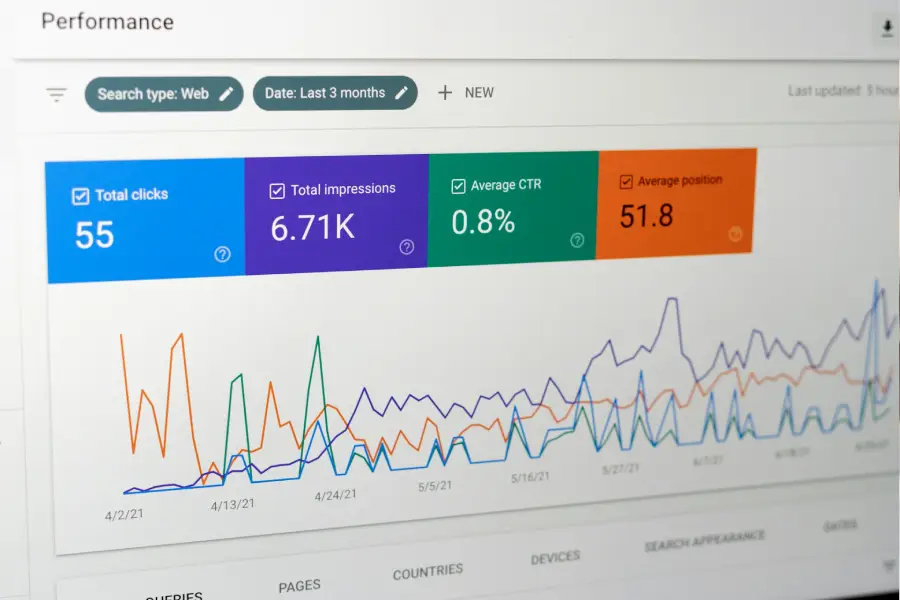
Top 5 Local SEO Mistakes Killing Your Traffic and How to Fix Them
Table of Contents If you’re a small business owner or marketing lead, you know local SEO is key to getting found by customers nearby. But here’s the truth — most businesses unknowingly make mistakes that kill their local traffic and cost them valuable leads. I’ve seen it again and again: businesses doing all the right things but missing simple fixes that unlock real results. In this post, I’ll reveal the top 5 Local SEO mistakes that are silently hurting your visibility and exactly how to fix them. By the end, you’ll have a clear roadmap to clean up your local SEO, attract more local customers, and grow your sales sustainably. Ready to stop losing local traffic? Book your Free Local SEO Audit and get expert help today! Not sure what a Google Business Profile is or how it works? Start here with our beginner-friendly guide. What Are Common Mistakes to Avoid in Local SEO? Local SEO involves many moving parts — from your Google Business Profile to your website, citations, reviews, and backlinks. When any of these elements are out of sync, your rankings and traffic suffer. These mistakes are common among small businesses because local SEO advice online can be overwhelming or outdated. But don’t worry — fixing these five will put you ahead of most competitors. Why Avoiding These Local SEO Mistakes Matters for Small Businesses If your business isn’t showing up in Google Maps or local search results, potential customers are clicking your competitors instead. That’s lost revenue, lost brand awareness, and lost growth opportunities. Local SEO mistakes create friction in your customer’s journey, reducing trust and conversions. Fixing these issues helps you build authority, improve your local rankings, and connect with ready-to-buy customers in your area. The Top 5 Local SEO Mistakes and How to Fix Them 1. Incomplete or Inconsistent Google Business Profile Mistake: Your Google Business Profile (GBP) is missing key info or has conflicting details across the web. Fix: Claim and fully optimize your GBP. Ensure your business name, address, phone number (NAP), hours, categories, and services are 100% consistent everywhere. Add high-quality photos and post updates regularly. Not sure if your profile is fully optimized? Follow these proven Google Business Profile SEO tips to boost your rankings. Need a GBP review? Get a Free GBP Optimization Check from me now. 2. Ignoring Local Keywords on Your Website Mistake: Your website doesn’t include location-specific keywords in titles, headers, meta descriptions, or content. Fix: Add clear local keywords naturally to your pages. Use phrases your customers search for, like “best hair salon in [Your City].” This helps Google match your site to local queries. Want to dominate the Map Pack with smart keyword strategy? Learn how to rank higher on Google Maps in 2025 — and outrank your local competitors. One of the biggest mistakes? Skipping your Google Business Profile setup. Learn why it matters now more than ever in 2025. 3. Skipping Local Directory Listings Mistake: Not listing your business on key local directories or inconsistent NAP details across them. Fix: Submit your business to reputable directories (Yelp, Yellow Pages, industry-specific sites) with consistent info. This boosts your authority and local relevance. 4. Neglecting Online Reviews and Responses Mistake: Not actively collecting reviews or ignoring customer feedback. Fix: Ask happy customers for reviews regularly and respond professionally to all reviews. This builds social proof and trust — critical local ranking factors. Want more 5-star reviews and better rankings? Discover how online reviews influence buyer trust and boost your sales 5. Poor Website Performance on Mobile and Speed Mistake: Your site loads slowly or isn’t mobile-friendly, causing high bounce rates. Fix: Optimize your website speed with tools like Google PageSpeed Insights and ensure mobile usability. Faster, smoother sites keep visitors engaged and improve rankings. My Proven Small Biz SEO Strategy to Fix These Mistakes I’ve helped many small businesses fix these exact issues — leading to visible ranking improvements, more traffic, and increased revenue. Here’s my simple process: Audit your GBP and website for consistency and completeness Implement targeted local keyword optimization Build and clean up local citations Launch a review collection and response system Improve website speed and mobile experience Want a step-by-step plan tailored to your business? Book your Free Local SEO Audit and let’s fix these mistakes together. FAQs About Local SEO Mistakes How do I know if I’m making local SEO mistakes?– Regularly audit your Google Business Profile, website, and local listings for accuracy and completeness. Tools like BrightLocal or Moz Local can help. Can fixing local SEO mistakes really increase my traffic?– Absolutely. Even small fixes can boost your visibility on Google Maps and local search, leading to more visits and calls. How often should I update my Google Business Profile?– At least once a week. Post updates, add photos, and respond to reviews consistently. What’s the easiest mistake to fix for quick wins?– Optimizing your Google Business Profile and responding to reviews usually deliver the fastest impact. Conclusion: Fix These Local SEO Mistakes and Watch Your Traffic Grow Local SEO mistakes aren’t just frustrating — they’re costly. By fixing these 5 common errors, you’ll improve your local rankings, build trust, and get more traffic and leads without paying for ads. Don’t let avoidable mistakes hold your business back. Book your Free Local SEO Audit now and get the clarity and strategy you need to grow confidently.
Google Business Profile SEO Tips to Boost Your Map Rankings
Table of Contents Your Google Business Profile (GBP) is one of the most powerful tools to increase local visibility, drive foot traffic, and win trust online. If your business isn’t ranking in the Google Map Pack, you’re missing out on high-converting, local-intent traffic. Here are proven, geo-optimized tips to help you show up and stand out—no ads needed. Not sure why GBP is such a big deal? Discover the benefits your business could be missing right here. 1. Complete Every Field in Your GBP Fill out your business name, categories, address, hours, phone number, services, products, website URL, and business description. Use keywords naturally:e.g., “plumber in Cape Town” or “best accountant in Polokwane” Your description should match your website messaging and support your core SEO. Start with this Local SEO checklist to make sure everything aligns. New to GBP? Learn what Google Business Profile is and why it matters before diving into optimization. 2. Create Optimized Location Pages If you serve multiple cities or suburbs (e.g., Johannesburg, Midrand, Durban), each should have its own page on your site. Include: Geo keywords Local references (e.g., malls, suburbs) Embedded Google Maps Reviews from local clients If your site is brand new, follow this guide to launching and ranking a new website without relying on ads. 3. Get More Google Reviews—Strategically Social proof sells. But Google reviews do more than influence—they help you rank. Ask customers to mention your service + location in their reviews:e.g., “Amazing teeth whitening in Centurion!” For the psychology behind this, read how reviews impact local buyers. 4. Post Local Photos Often Add geo-tagged images of: Your business interior/exterior Local events or community moments Before-and-after results Your team at work in uniform or branded gear Tip: Use location in filenames and captions: e.g., “sandton-carpet-cleaning.jpg” 5. Use Weekly Posts to Stay Visible Post short updates, promos, and blog-style tips on your Google Business Profile. Treat it like a local blog. Mention city names, services, and offers. Example: “New full-body massage special this week in Pretoria East. Book now!” You can also repurpose posts from your content — like this guide on blogging for small business success to educate and convert. 6. Add Services & Products with Keywords Add your offerings under Products in GBP with optimized titles and descriptions. Don’t forget location mentions. Example: Title: “SEO Services for Therapists in Sandton” Description: “SEO audits, content marketing, and local optimization for private practices in Sandton and surrounding areas.” This works well with your broader Small Business SEO strategy. 7. Make Sure Your Website Supports Your GBP If your site loads slowly or looks outdated on mobile, it hurts your rankings and conversions. This breakdown of responsive web design shows why modern, fast, mobile-first websites help both SEO and trust. Final Takeaway: Local SEO Starts With Your Google Business Profile Step What to Do 1 Complete every GBP field (description, categories, services, etc.) 2 Build out separate location landing pages 3 Ask for keyword-rich reviews weekly 4 Add photos with geo context (team, storefront, work in action) 5 Post weekly content using local terms and offers 6 Add services/products that match search intent 7 Ensure your website supports local SEO (speed, mobile, UX) Want to Dominate Google Maps Without Ads? Whether you’re a salon in Pretoria, a plumber in Cape Town, or a lawyer in Johannesburg — ranking in the Google Map Pack could double or triple your leads. I help small business owners like you boost visibility, leads, and conversions with smart, geo-targeted SEO. Start with this free Local SEO Checklist to uncover quick wins Or contact me here to book a strategy session and get your business ranking higher, faster. FAQs: Google Business Profile SEO for South African Businesses 1. How do I get my business to show up on Google Maps in South Africa? To appear on Google Maps, claim and verify your Google Business Profile, complete every field, and use relevant local keywords. Add a physical address, request customer reviews, and keep your business hours up to date. Geo-optimized content on your website can also improve your local rankings. 2. What is the best way to improve my Google Business Profile SEO? Start by optimizing your business name, categories, description, and service areas. Post updates regularly, upload geo-tagged photos, respond to reviews, and ensure your website is mobile-friendly. Adding location pages and internal links can also support your GBP rankings. 3. How often should I post on my Google Business Profile? Aim to post at least once per week. You can share promos, customer success stories, blog highlights, or events. Regular posts keep your profile active, build trust with potential customers, and signal freshness to Google. 4. Do reviews help with Google Map rankings in South Africa? Yes, absolutely. Google reviews with relevant keywords and local context (like your service and city) help improve both trust and visibility. Encourage happy customers to leave honest, specific feedback using location phrases. 5. Can I rank on Google Maps without running ads? Yes, with consistent SEO. If your GBP is optimized, your website supports local keywords, and you build trust with reviews and fresh content, you can rank in the 3-Pack organically—without paying for Google Ads. Here’s a guide on how to rank without ads. Need Help Ranking Higher on Google Maps? Whether you’re in Sandton, Durban, or Polokwane, your ideal clients are searching locally. Don’t let them skip over your business. I help small businesses like yours improve Google visibility and generate local leads. Get Started with Local SEO

How to Rank Higher on Google Maps in 2025 And Outrank Local Competitors Fast
Table of Contents Why You’re Not Showing Up—and What That’s Costing You If you’re a local business owner and your company isn’t showing in the Google Map Pack, you’re missing out on the most valuable real estate in search. I’ve seen businesses go from almost invisible to fully booked within weeks—just by improving their Google Maps rankings. And the truth? Ranking higher on Google Maps isn’t luck or guesswork. It’s a strategic, proven process. In this blog, I’ll break down exactly how I help B2C brands like salons, clinics, retailers, and service providers boost visibility, attract local leads, and increase revenue—all by dominating Google Maps. Want a budget-friendly strategy? Here’s how to rank higher on Google Maps without paying for ads. What Does It Mean to Rank Higher on Google Maps? To “rank higher on Google Maps” means your business shows up in the top 3 local listings when someone searches for services like yours nearby. For example: “hair salon near me” “best physiotherapist in Cape Town” “nail bar open now” These top 3 listings (the Map Pack) get over 60% of all local clicks—and voice searches pull from these too. So if you’re not there, you’re invisible. Need a checklist version of this strategy? Grab the Local SEO Checklist: 10 Essentials to Get Found in Your Area. Why Google Maps Rankings Matter for B2C Businesses This isn’t just about SEO—it’s about local discovery and revenue. Here’s why it matters: Trust and visibility: 84% of people trust Google reviews as much as personal recommendations. More phone calls: Listings in the top 3 get up to 7x more calls than lower-ranked businesses. Mobile-first intent: 76% of people who search for a local service on their phone visit within 24 hours. Whether you sell beauty services, run a retail store, or manage a wellness clinic, showing up first = more foot traffic, bookings, and income. How to Rank Higher on Google Maps (Step-by-Step) Here’s the same 6-step process I use for clients to climb local rankings fast: 1. Claim and Fully Optimize Your Google Business Profile (GBP) Use exact business name (no keyword stuffing). Select the most relevant categories. Add high-quality images. Include all services and products. Keep business hours accurate. Trust Signal: Google prioritizes complete and active profiles. Want to dive deeper into review psychology? Read The Psychology of Online Reviews: How They Influence Local Buyers and Boost Your Sales. 2. Collect High-Quality Google Reviews (Consistently) Ask happy clients to leave reviews. Respond to every review (even negative ones). Use keywords naturally in your responses. Social Proof Hack: Display your star rating on your website to trigger authority and dopamine. 3. Add Local Citations & Directory Listings Ensure consistent Name, Address, Phone (NAP) data across platforms. Submit to trusted sites like Brabys, Yellosa, and niche-specific directories. Cognitive Fluency: Consistent info builds subconscious trust. 4. Use Location-Based Keywords on Your Website Add your city/suburb + service keywords in titles, content, and footer. Link your website to your Google Business Profile. Example: “Skincare Clinic in Midrand” on homepage title. 5. Post Regularly to Your Google Profile Share service updates, events, or promos weekly. Use emojis, calls to action, and local hashtags. Dopamine Trigger: New posts keep your listing engaging and fresh. 6. Build Local Backlinks Partner with local blogs or chambers of commerce. Sponsor community events and get featured online. Use HARO or Pressportal to earn citations. Authority Anchor: Local links validate your relevance. Common Mistakes That Hurt Your Google Maps Ranking Don’t fall into these traps: Using multiple GBP listings for one location Inconsistent contact info across the web Ignoring or deleting negative reviews Overusing keywords or spam tactics Not linking your GBP to a fast, mobile-optimized website Loss Aversion Tip: These mistakes can drop your listing from the Map Pack—fast. My Proven Strategy (Real Results from Clients) One of my clients—a family dental clinic—went from ranking #14 to Top 3 in Google Maps within 30 days. How? We fixed inconsistent NAP data Added services to their GBP Collected 22 new reviews in one month Built citations on 10+ local directories Embedded a Google map on their homepage They reported a 47% increase in bookings and had to extend hours. This is what strategic local SEO looks like—backed by psychology, not guesswork. If you’re looking for more tips like these, check out Small Business SEO: 10 Proven Tips to Boost Your Local Sales in 2025. Frequently Asked Questions About How To Rank higher on Google Maps 1. How long does it take to rank higher on Google Maps? Most businesses see results within 30–90 days, depending on competition and consistency. 2. Do I need a website to rank on Google Maps? No, but linking a well-optimized website improves your authority and visibility. 3. How many reviews do I need to rank? There’s no exact number, but more high-quality, recent reviews give you a stronger edge over competitors. 4. Can I rank for multiple locations? Yes—if you have physical locations and separate Google Business Profiles for each. 5. Why did my Maps ranking suddenly drop? It could be due to a Google update, spam reports, NAP inconsistencies, or loss of reviews. Auditing your listing helps uncover the issue. 6. How do I rank higher on Google Maps in 2025? Claim and optimize your Google Business Profile, collect quality reviews, use location keywords, post updates weekly, and build local citations and backlinks. 7. Why is my Google Business Profile not ranking? Your profile may be incomplete, have inconsistent NAP data, lack reviews, or be missing relevant keywords. Check your optimization and local authority. 8. What are the top ranking factors for Google Maps? Relevance, proximity, and prominence—combined with profile completeness, reviews, and backlinks. Conclusion: Let’s Get You in the Top 3 Ranking higher on Google Maps isn’t optional anymore—it’s essential for growth. If you’re tired of being outranked, losing local traffic, or hearing “I didn’t know you were there,” let’s change that. Book a free Local SEO audit with me and
The Psychology of Online Reviews: How They Influence Local Buyers and Boost Your Sales
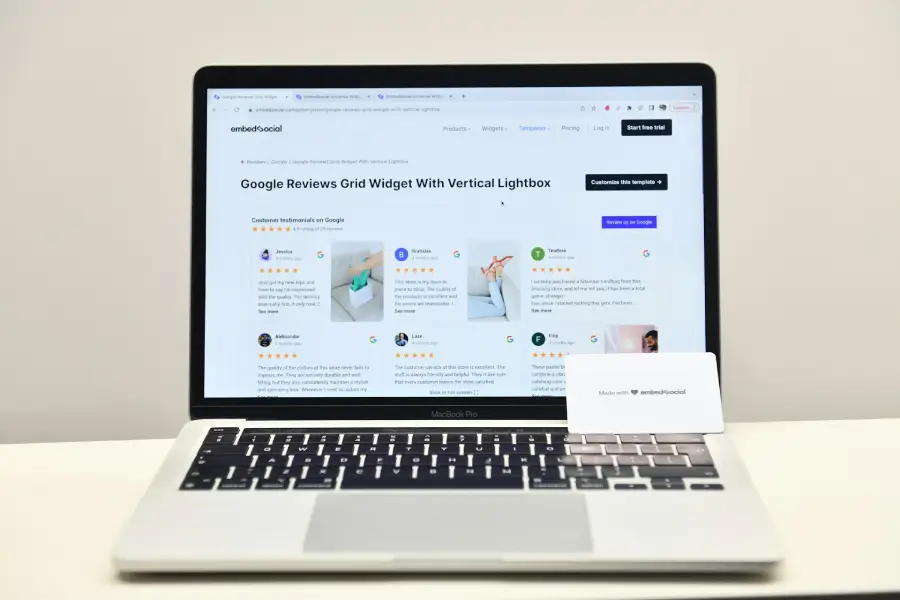
Table of Contents If you’re a local business owner or marketing lead, you already know online reviews matter. But do you truly understand how they influence buyers — and why they’re one of your strongest local trust signals? The psychology behind reviews is powerful. When you tap into it strategically, you can build more trust, attract more local customers, and boost your sales without spending a dime on ads. In this post, I’ll break down the psychology of online reviews and show you exactly how to use them to your advantage. You’ll get proven tips and clear steps designed for real humans and real results. Ready to unlock the power of online reviews for your business? Book a Free Local SEO Audit with me today! What Are Online Reviews and Why Do They Matter for Local Buyers? Online reviews are customer feedback shared on platforms like Google Business Profile, Yelp, Facebook, and industry-specific directories. They’re more than just star ratings; they’re powerful social proof that shapes buyer decisions. Why? Because people trust other people. According to studies, 90% of consumers read online reviews before visiting a business, and 88% trust online reviews as much as personal recommendations. That’s huge! These reviews act as local trust signals — they tell potential customers your business is reliable, credible, and worth their money. Don’t miss out on these powerful trust signals. Need help managing your reviews? Contact me for a strategy session! The Psychology Behind Online Reviews: What Makes Them So Influential? Let me break down the key psychological principles at play: Social Proof: We naturally follow others. Seeing positive reviews triggers trust because it signals you’re a proven choice. Reciprocity: When businesses respond to reviews, especially negative ones with care, it creates goodwill. Customers feel heard and valued. Loss Aversion: Negative reviews highlight risks of poor experiences. Addressing them openly shows you’re transparent and committed to quality. Cognitive Fluency: Easy-to-read, genuine reviews feel more trustworthy and believable. Framing: How reviews are presented affects perception. For example, displaying a mix of star ratings with comments creates a balanced, authentic impression. How to Use Online Reviews as Local Trust Signals to Grow Your Business Here’s how I recommend you maximize the power of reviews: 1. Actively Collect Reviews Don’t wait for reviews to come in. Ask happy customers right after service or purchase — in person, via SMS, or email. Make it easy by sending direct links to your Google Business Profile or other key platforms. 2. Respond to Every Review Thank reviewers for positive feedback and address negative reviews calmly and helpfully. This shows you care and builds trust with potential customers reading the dialogue. 3. Showcase Reviews on Your Website Add a dedicated reviews/testimonials page or embed Google reviews on your homepage. This reinforces trust for visitors and boosts SEO relevance with fresh, local content. 4. Use Reviews in Your Marketing Highlight customer quotes in social media posts, email campaigns, and ads. Real voices connect emotionally and drive conversions. 5. Monitor Your Online Reputation Set up alerts or use tools like Google Business Profile Insights and reputation management software to track reviews and act fast. Want a step-by-step plan to leverage your reviews for local growth? Schedule a consultation with me now! Common Mistakes to Avoid With Online Reviews Ignoring negative reviews or deleting them — this backfires and reduces trust. Using fake or incentivized reviews — Google penalizes this, and it damages credibility. Not making it easy for customers to leave reviews. Failing to update or refresh your review collection strategy regularly. My Proven Strategy for Using Reviews to Build Local Trust I’ve helped many local businesses boost sales by integrating online reviews into their local SEO and marketing strategy. The key is consistency — continuously gathering new reviews, responding promptly, and leveraging those reviews across all your channels. A recent client saw a 30% increase in local leads after implementing a review request system and showcasing reviews prominently on their site. This wasn’t luck — it was strategic use of social proof and trust signals. Want to see similar results? Get your Free Local SEO Audit today and start building trust that converts. FAQs About Online Reviews and Local Trust Signals How do online reviews influence local buyers? They serve as social proof, showing potential customers your business is trustworthy and popular, which increases their confidence to buy locally. What are local trust signals? These are factors like online reviews, local backlinks, and consistent business information that show Google and customers your business is reliable and relevant in your area. How can I encourage customers to leave online reviews? Ask at the right time, make it easy with direct links, and follow up politely via SMS or email reminders. Should I respond to negative reviews? Absolutely. Responding politely shows you care and helps turn unhappy customers into loyal ones. Conclusion: Start Using the Psychology of Online Reviews Today Online reviews are one of the most powerful local trust signals you can harness. By understanding the psychology behind them and using smart, consistent strategies, you’ll connect with more local buyers, build lasting trust, and grow your business sustainably. Don’t wait! Take control of your local reputation and watch your sales grow. Book your Free Local SEO Audit now — and let’s get started.
How to Rank Higher on Google Maps Without Paying for Ads
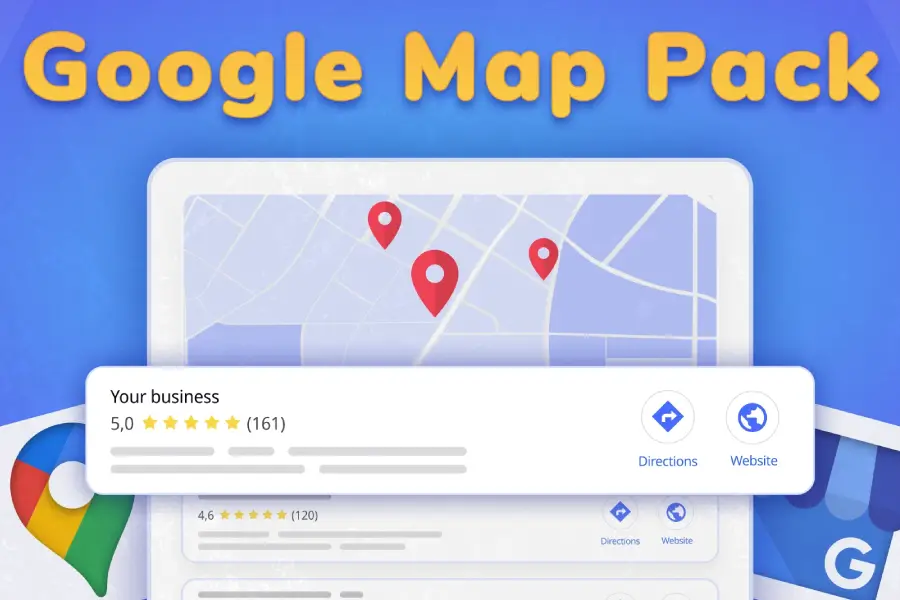
Table of Contents Get Found by Local Customers—Without Boosting Posts or Spending a Dime Local customers are searching right now for services and products near them.But if your business isn’t showing up on Google Maps, you’re missing out on ready-to-buy buyers. If you’ve wondered, “Do I have to run ads to get seen locally?” — here’s the good news: You don’t. Ranking on Google Maps is all about smart, consistent local SEO that taps into how Google’s algorithm and people’s brains work together. I’m going to share proven local SEO tips that help my clients rank higher organically — no paid ads needed. This is the exact strategy that drives real leads and sales for local businesses like yours. What Is Google Maps Ranking? When someone searches on Google for “near me” or a specific local service, Google displays a local pack — the top 3 businesses on a map, plus a list of others. Where your business shows up here is your Google Maps ranking. Your ranking depends heavily on your Google Business Profile (GBP), your website, and other local signals Google trusts. Ranking higher means more visibility, more clicks, and more customers walking through your door or calling you. Why Google Maps Ranking Matters for Local Businesses The stats don’t lie: Nearly 46% of all Google searches are local queries 76% of local searches lead to a store visit within 24 hours About 28% of local searches result in a purchase If you’re not ranking in the map pack, you’re essentially invisible to a huge chunk of your potential customers. But rank well, and you get: Free, targeted traffic from people ready to buy Trust signals from reviews and a solid profile Increased conversions thanks to location relevance and social proof This strategy is the lifeblood of my local clients’ growth — especially service-based businesses and brick-and-mortar shops. How to Rank Higher on Google Maps Without Paying for Ads Here are five key strategies you can implement today to climb the Google Maps rankings organically. 1. Make Sure Your Google Business Profile Is Fully Optimized Your GBP is the heart of your Google Maps presence.If it’s incomplete or inconsistent, your rankings will suffer. I’ve covered this extensively in my Local SEO Checklist: 10 Essentials to Get Found in Your Area.Go there for the detailed steps on optimizing your profile, categories, photos, and more. Want to understand the real value of your GBP before you optimize it? Find out why it matters for local growth in 2025 Ready to fix your Google Business Profile and get found? Book a Free Local SEO Audit now! 2. Collect and Respond to Reviews — It’s Social Proof Gold Reviews aren’t just nice to have — they’re critical to ranking well. Encourage happy customers to leave positive reviews Respond to all reviews (yes, even negative ones) promptly and professionally Use keyword-rich responses when appropriate without sounding robotic Why?Because Google trusts businesses with fresh, genuine reviews.And your potential customers feel more confident choosing you when they see others vouch for your quality. Pro tip: Use the principle of reciprocity — thanking reviewers encourages more engagement and loyalty. Don’t miss out on reviews! Get my proven review strategy to boost your local reputation. 3. Optimize Your Website for Local Signals Your website needs to confirm your local presence clearly: Include your city or suburb in page titles, headers, meta descriptions, and image alt tags Create location-specific service pages if you serve multiple areas Add consistent Name, Address, and Phone number (NAP) in the footer Use local business schema markup to help Google understand your location and services better Consistency and clarity here build cognitive fluency — Google and users alike prefer familiar, trustworthy patterns. Need help optimizing your site for local SEO? Let’s talk about your website audit today! 4. Build Local Backlinks to Boost Authority Not all backlinks are equal. Local backlinks tell Google you’re an authority in your community. Partner with local bloggers, chambers of commerce, or event organizers Sponsor local events or charities and get featured on their websites Get listed in reputable local directories (Yelp, Brabys, Snupit, etc.) These backlinks serve as trust signals and reinforce your business relevance for the local area. Want to build local backlinks that actually help your rankings? Contact me for a backlink strategy session. 5. Use Clear, Location-Specific CTAs That Drive Action Ranking well is just the start — you need visitors to take the next step. Use CTAs like: “Book your Randburg consultation today” “Call us now for a free Johannesburg quote” Place CTAs where the eye naturally falls — under headings, to the right side, or near images. Use contrasting button colors for maximum visibility. Common Mistakes That Hurt Your Google Maps Ranking Avoid these pitfalls: Using different NAP details on your website vs directories Ignoring or not responding to reviews Keyword stuffing your business name on GBP Having a slow, unresponsive mobile website Not posting regularly to your Google Business Profile These mistakes confuse Google and your customers, lowering your rank and trust. Want me to audit your local SEO and spot what’s holding you back? Get your free audit here! My Proven Local SEO Process That Works Here’s how I help local businesses rank higher on Google Maps — even in competitive markets: Audit current local SEO performance Fix NAP consistency, add schema, optimize GBP (see my checklist!) Create or improve location-specific website pages Implement review and reputation management strategy Build local backlinks through community partnerships Track, measure, and adjust monthly for ongoing growth The results speak for themselves:– 78% average increase in local search impressions within 3 months– Doubling calls from Google Maps– Adding 5–15 new positive reviews every month Let’s get your business growing locally. Schedule your free discovery call today! Frequently Asked Questions About Ranking Higher On Google Maps How do I improve my Google Maps ranking? Optimize your Google Business Profile, encourage and respond to reviews, build local backlinks, and ensure consistent NAP across all