

Table of Contents Why Most Small Business Blogs Fail (And How Yours Can Thrive) You’ve been told: “Just start blogging, and customers will come!” But here’s the harsh truth: 68% of small business blogs get under 100 monthly visitors Only 9% of bloggers optimize for voice search Content marketing delivers 3x more leads than paid ads Are you watching your competitors steal customers while your small business struggles to get noticed online? You’re not alone. After helpingsmall businesses grow through content, I’ve discovered what actually works (and what wastes time). Most business owners feel invisible in the digital world. They have amazing products and services but can’t connect with their ideal customers. The frustration is eating them alive. Here’s what changed everything for them: strategic content marketing. Ready to attract more leads with smarter content? Book a free strategy call today. What is Content Marketing for Small Business? Content marketing for small business is the strategic creation and distribution of valuable, relevant content to attract and engage your ideal customers. Unlike traditional advertising that interrupts people, content marketing provides genuine value first. Think of it as becoming the helpful expert your customers turn to before making purchasing decisions. When done right, it positions you as the trusted authority in your industry. The numbers don’t lie: Companies that blog regularly get 97% more links to their website and 434% more indexed pages than those that don’t. For small businesses, this translates directly to more visibility, more traffic, and more sales. Want content that makes your business impossible to ignore? Let’s build it together. Why Content Marketing Matters for Small Business Owners You’re Losing Money Every Day Without It Here’s a hard truth that might sting: while you’re hoping customers will find you, your competitors are actively pulling them in with valuable content. Consider this scenario: Two beauty salons in the same town. Salon A posts sporadically on social media. Salon B publishes weekly blog posts about skincare tips, seasonal beauty trends, and behind-the-scenes stories. Which salon do you think customers trust more? Which one gets booked solid while the other struggles? Stop losing customers to your competitors. Request a free content audit. Your Customers Are Already Searching Right now, your ideal customers are typing questions into Google: Beauty & Wellness: “How to choose the right skincare routine” “Best anti-aging treatments near me” “Natural remedies for acne scars” E-commerce: “Best running shoes for flat feet” “How to style oversized blazers” “Organic baby products reviews” Dental: “How to whiten teeth naturally” “Signs I need a root canal” “Best dentist for kids near me” Legal: “What to do after a car accident” “How much does divorce cost” “Do I need a lawyer for a DUI” Local Services: “Best local restaurant for date night” “Signs I need a new HVAC system” “How to choose a reliable contractor” If you’re not providing those answers, someone else is capturing those customers. The ROI is Undeniable Content marketing costs 62% less than traditional marketing but generates 3 times more leads. For small businesses operating on tight budgets, this isn’t just smart—it’s essential for survival. How to Implement Content Marketing That Actually Works Step 1: Know Your Customer’s Pain Points Inside Out I learned this lesson the hard way. Early in my career, I created content I thought was clever. It flopped completely. Success came when I started creating content that solved real problems. Your customers don’t care about your business—they care about their problems. Action step: List the top 5 questions customers ask you most often. These become your first 5 blog topics. Step 2: Create Content That Builds Trust Trust is everything in small business. Your content should demonstrate expertise while being genuinely helpful. Winning formula: Share specific tips, not vague advice Include real examples and case studies Admit when something doesn’t work Show your personality and values Step 3: Optimize for Search and Voice With voice search growing 35x since 2008, your content needs to answer questions naturally. Write like you’re having a conversation. Use phrases like: “The best way to…” “Here’s how you can…” “The most important thing is…” Step 4: Make It Scannable Online readers scan before they read. Use: Short paragraphs (2-3 sentences max) Bullet points for easy digestion Bold text for key points Clear headings that tell a story Don’t just post blogs. Post blogs that convert. Talk to me about your content goals. Common Content Marketing Mistakes That Kill Results Mistake #1: Talking About Yourself Too Much Nobody wakes up excited to read about your company history. They want solutions to their problems. Fix: Follow the 80/20 rule. 80% value-driven content, 20% about your business. Mistake #2: Inconsistent Publishing Publishing once a month won’t cut it. Your audience needs regular value to stay engaged. Fix: Start with weekly posts. Consistency beats perfection every time. Mistake #3: Ignoring Local SEO If you’re a local business, you’re missing massive opportunities by not targeting local keywords. Fix: Include your city/region in content naturally. Write about local events, challenges, and opportunities. Mistake #4: No Clear Call to Action Great content without direction is wasted opportunity. Fix: Every piece of content should guide readers toward the next step, whether that’s subscribing, calling, or purchasing. Let’s turn your blog into a lead-generating machine. Book your free content consultation. My Proven 7-Step Content Marketing Framework After testing dozens of approaches with my 47 small business clients, here’s the system that delivers results: Real results: One client, a local wellness center, used this exact process and saw: 250% increase in website traffic 180% more consultation bookings 40% higher average customer value I’ve helped dozens of small businesses get these kinds of results — yours could be next. Let’s talk. Ready to Transform Your Small Business with Content Marketing? You now have the blueprint that’s helped hundreds of small businesses break through the noise and connect with their ideal customers. But here’s the truth: knowing and doing are two different things. The businesses that win are the ones

How I Went From Just Being a Web Developer to Becoming an SEO Specialist — Without Giving Up Coding
Table of Contents I was reflecting the other day on my journey—how I started as a full-time web developer and gradually shifted into SEO specialist territory, without ever really leaving the coding behind. I wanted to share this story because I know many business owners, marketers, and startups out there feel overwhelmed trying to figure out SEO or how to grow online. Maybe my path can offer some clarity or inspiration. Right now, I’m writing this from my home office—a small but cozy space filled with a couple of monitors, code editors open on one screen, and keyword research tools on the other. This balance between coding and SEO strategy is where I’ve found my groove. If you want to know more about who I am and how I blend web development with SEO to help businesses grow, check out my profile here and see how I can support your online journey. Where Did It All Begin? When I started my career, I was all about building websites. Clean code, fast loading, smooth user experience — that was my world. But pretty quickly, I saw something missing. Clients were asking: “Why isn’t my site getting traffic? How do I get more leads?” I realized: knowing how to build a website isn’t enough. You also need to know how to get it found. That’s when I started diving into SEO. I learned how Google works, how to research keywords that customers actually search for, and how to optimize every page for those keywords. The more I learned, the more I applied it — both to my clients’ sites and my own projects. If you’re ready to get your website working harder for your business, take a look at the services I offer and how I can help you with SEO, web development, or both. Why I Still Do Web Development Most SEO specialists don’t write code. Most web developers don’t dive deep into SEO. But I realized keeping both in my toolkit lets me fix problems fast and build sites optimized from the ground up. When I build a website now, I’m thinking: How fast is this site going to load? Is it mobile-friendly? Are the URLs and metadata optimized? Can I add structured data to help Google understand this better? This technical foundation means I’m not waiting on a developer or an SEO expert separately. I’m both. That’s the power of blending these skills. Ready to build a website that’s fast, SEO-friendly, and built to convert?Get in touch through my contact page and let’s make it happen. How SEO Changed My Approach—and Can Change Yours Too Understanding SEO made me see websites differently—not just as code, but as living business assets that need to attract and convert real customers. I began helping clients improve visibility, generate leads, and get measurable ROI from their sites. The journey wasn’t overnight. I faced challenges, stayed up late learning new tools, and experimented with strategies. But the results spoke for themselves. I helped startups and small businesses in healthcare, legal, tech, and e-commerce grow their presence online—often turning their websites from silent brochures into active sales engines. Want the same for your business? I design and develop websites that do more than look good — they load fast, rank well, and help you convert. Whether you’re starting fresh or ready for a full upgrade, I’ll help you build a website that actually works for your goals. Explore my Website Development services and let’s build something that drives results. Why Combining SEO and Web Dev Makes Me More Effective Here’s what I recommend if you’re a business owner or marketer: don’t separate these two worlds. Fast, clean websites rank better in Google — that’s my developer hat speaking. SEO strategy tells you what content to create, how to structure it, and how to attract your ideal customers — my SEO hat. When I do both, I save clients time and money because they don’t need to hire two separate people. For example, I recently helped a local medical aesthetics clinic grow their organic traffic by 45% in 5 months — just by optimizing their site speed, fixing technical SEO issues, and targeting local keywords. How This Helps You and Your Business If you’re feeling overwhelmed about SEO, I get it. It’s confusing, technical, and often seems like magic only experts understand. Here’s what I suggest you focus on today: Make sure your website loads quickly and works well on phones (mobile-first). Claim and optimize your Google Business Profile to get found locally. Research 3–5 keywords your customers search for and use them naturally in your website copy. Monitor your site’s traffic using Google Analytics to track what’s working. If you want, I can help you do all this and more — so you can focus on what you do best, running your business. Want Help Growing Your Business? SEO doesn’t have to be overwhelming. With the right guidance, you can get more leads, sales, and ROI from your website — even if you don’t know where to start. Book a free 30-minute strategy call with me today. Let’s talk about your business goals and create a simple, practical plan to grow your online presence. Quick Answers to Common Questions About Web development and SEO Does being a web developer help with SEO? Absolutely. Knowing how websites are built makes it easier to implement technical SEO changes that improve site speed, structure, and user experience—all critical for ranking well. How can SEO and web development skills work together? When combined, you can optimize your site from the ground up, ensuring both the content and the technical backend meet SEO best practices. This saves time and drives better organic growth. Should I learn SEO if I’m a web developer? Yes! SEO knowledge enhances your ability to deliver websites that rank well and attract real visitors, adding more value to your skillset and services. How does SEO help small businesses grow? SEO increases a business’s online visibility,
Small Business SEO: 10 Proven Tips to Boost Your Local Sales in 2025
Table of Contents Do you own a small business and want more customers? You’re in the right place. This blog explains small business SEO—how to make your website easy to find on Google and attract local buyers. SEO stands for Search Engine Optimization. It helps your website appear when people search for products or services you offer. With the right SEO, your business can grow faster in 2025. Here are 10 simple and effective SEO tips you can use now to get more local sales. 1. What Is Mobile-Friendly Website Design and Why Is It Important? Most people use phones to search online. If your website looks bad on a phone, visitors leave quickly. Google prefers mobile-friendly websites and ranks them higher. How to fix: Use a website theme that automatically adjusts to phones and tablets. Want to learn more about making your website look great on any device? Check out our detailed guide on Responsive Web Design and Why It’s Essential in 2025. 2. How Do I Use Local Keywords to Improve SEO? Local keywords are words people type to find businesses near them. For example, “coffee shop in Cape Town” or “best plumber Durban.” Add these keywords naturally in your website text to help Google show your site to local customers. 3. Why Should I Claim My Google Business Profile? Google Business Profile (formerly Google My Business) shows your business info on Google Maps and search results. It’s free and helps local customers find you easily. Keep your profile updated with your address, phone number, opening hours, and photos. Ask happy customers to leave reviews to build trust. To get even more local SEO tips and make sure your business stands out in your area, check out our Local SEO Checklist: 10 Essentials to Get Found in Your Area. 4. What Kind of Content Should I Write for My Website? Write clear and helpful information about your products or services. Use short sentences, headings, and bullet points so people can find answers quickly. Good content makes visitors trust your business and helps Google rank your site higher. Not sure what to write or how to add SEO keywords naturally? Let’s talk about creating content that actually brings in customers. 5. How Does Website Speed Affect SEO? A slow website frustrates visitors and makes them leave. Google sees this and ranks your site lower. Use tools like Google PageSpeed Insights to check your website speed and fix problems like large images. 6. Why Should I Add Contact Information on Every Page? Showing your phone number, email, and address on every page makes it easy for visitors to reach you. This builds trust and helps Google understand your location. 7. What Is Social Proof and How Does It Help My Business? Social proof means showing customer reviews, testimonials, or awards. People trust what others say about your business more than ads. This makes visitors feel safe buying from you. 8. How Do I Get Backlinks for My Small Business Website? Backlinks are links from other websites to yours. They tell Google your website is trustworthy and important. Ask local bloggers, business groups, or news sites to link to your site. 9. What Are Simple URLs and Why Do They Matter? Simple URLs look clean and easy to understand. For example, www.yourbusiness.com/cape-town-bakery is better than www.yourbusiness.com/page?id=123. Use keywords in your URLs to help search engines and customers. 10. How Can I Track My SEO Success? Use free tools like Google Analytics and Google Search Console to see how many people visit your site and which pages they like. Use this info to improve your SEO over time. You need to track your results, just like checking your sales or counting stock. This shows you what’s working and what needs to change. Here’s how to do it using free tools like Google Analytics and Google Search Console. 1. Use Google Analytics to Track Visitors Google Analytics shows who visits your website, where they come from, and what they do. Key metrics to watch: Number of Visitors (Users): Are more people visiting your site over time? Bounce Rate: Are people leaving quickly or staying to explore? Time on Page: Are they reading your content, or clicking away fast? Top Pages: Which blog posts or services are getting the most attention? Tip: A high bounce rate may mean your page loads too slowly, looks confusing, or doesn’t answer questions clearly. 2. Use Google Search Console to See How You Appear on Google Search Console shows how your website performs in Google search. Key metrics to watch: Total Clicks: How many people clicked your site from Google search? Impressions: How many times your site showed up in search results? Top Keywords: What words did people type to find your website? Page Rankings: Are your pages showing on page 1 or hidden on page 3? Tip: If you see a keyword with many impressions but few clicks, try updating that page to include clearer titles, better CTAs, or more relevant content. Check out our detailed guide on how to set up Google Analytics for your website and start tracking what matters most. Why This Tracking Matters Your brain loves feedback. When you see real numbers improving—more visitors, more time on page, more calls—it feels rewarding. That’s dopamine in action. It motivates you to keep going. This also builds trust in the process—so you don’t feel like you’re wasting time or money. Need Help Reading the Data? Most small business owners don’t want to stare at charts all day. If you want help understanding what the numbers mean and how to improve them, Book a free consultation with me and I’ll show you what’s working and what’s holding your SEO back. Why Is SEO Important for Small Businesses? People decide quickly if they like a website. A fast, easy-to-use website makes visitors feel comfortable and trust your business. This is called cognitive fluency—our brain prefers simple and smooth experiences. SEO is not just about getting visitors;

What Is Responsive Web Design and Why It Matters in 2025
Table of Contents Imagine this: You visit a website on your phone, but everything looks tiny. You have to pinch, zoom, and scroll just to read. It’s frustrating. Now imagine another site. It fits your screen perfectly. The text is clear. The buttons are easy to tap. Everything just works. That’s the power of responsive web design — and in 2025, it’s not just nice to have. It’s expected. What Is Responsive Web Design? Responsive web design means your website adjusts itself to fit the screen size of any device — whether it’s a phone, tablet, or desktop. The layout, images, and text shift so that everything looks good and works well. Think of it like having one website that can wear many outfits. No matter the screen size, it always fits just right. If you’re ready for a site that’s built for speed, SEO, and conversions, check out my Website Development services — made for South African businesses that want results. Why It Matters (The Psychology Behind It) People make decisions fast. In fact, they form an opinion about your website in just 0.05 seconds. If your site is clean, fast, and easy to use, the brain says, “This feels right. I trust it.” That’s called cognitive fluency. It means the brain prefers things that are simple and smooth. If a site is slow or hard to read, the brain thinks, “This is difficult. Leave.”But if everything works well, the brain says, “This is easy. I like this.” This emotional reaction happens before someone even reads your content. It affects whether they stay, scroll, click, or buy. How Responsive Design Boosts SEO Google uses mobile-first indexing, which means it looks at the mobile version of your site first when deciding where to rank you in search results. If your site is mobile-friendly, you’ll have: Better rankings on Google Lower bounce rates (people stay longer) Faster load times, which Google rewards One single version of your website, which avoids duplicate content A responsive site helps more people find you online. More traffic means more chances to get leads or sales. Want to boost your Google rankings? Let’s talk about making your website responsive. Book a Free Consultation Why It’s Essential in 2025 Today’s users expect everything to work fast and smoothly. If your site isn’t easy to use on a phone, they will leave and might never come back. Responsive design helps your business: Build trust by looking modern and professional Improve user experience, so visitors enjoy browsing Increase conversions, because happy users take action Rank higher in search results thanks to Google’s mobile-first focus It’s not just about design. It’s about making people feel good while using your site. How Do You Make a Website Responsive? You don’t need to be a developer to start. Here’s how you can make your site responsive: Use a responsive theme. Platforms like WordPress offer mobile-friendly designs. Test your site. Use Google’s Mobile-Friendly Test. Work with a web designer or developer if needed. Design for mobile first. Make sure it looks good on small screens before anything else. Not sure where to start? I can help you test your site and plan the right changes. Contact Me Today Final Thoughts In 2025, a responsive website isn’t just about technology — it’s about people. It shows you care about giving visitors a smooth, stress-free experience. And it tells Google your site deserves to rank. If you want to build trust, grow your traffic, and turn visitors into customers, start with a site that fits all screens — and all people. Ready to upgrade your website for 2025? Let’s build something your customers will love. Get a Quote Have questions about responsive web design? I’d love to help. Send a Message Quick Answers to Common Questions About responsive design
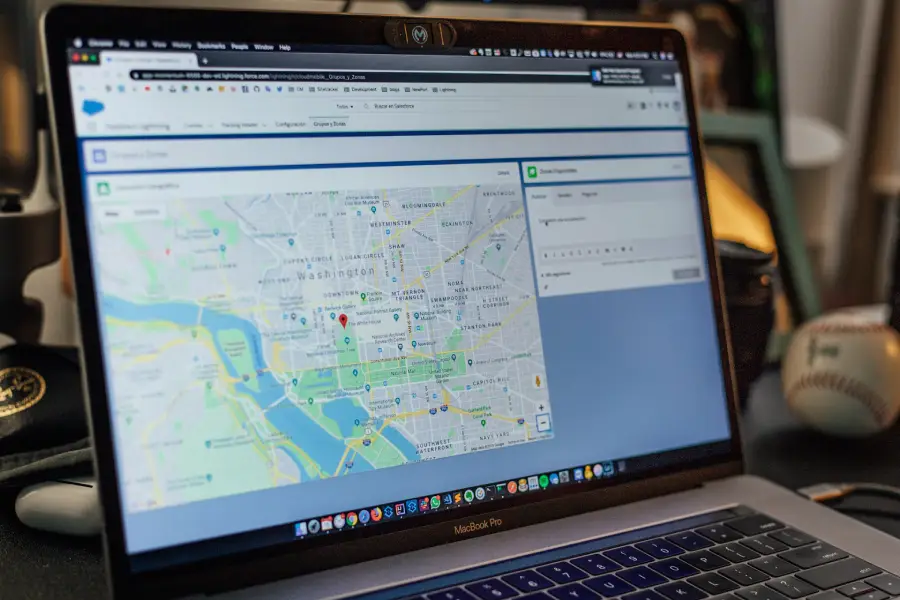
Local SEO Checklist: 10 Essentials to Get Found in Your Area
Table of Contents Local SEO helps your business appear in Google Maps, “near me” searches, and local listings. Use this checklist to boost visibility, trust, and traffic in your area. Local customers are searching. The question is — are you showing up when they do? Most business owners know local SEO matters. But let’s be honest — the advice out there is overwhelming, often too technical, and full of fluff. That’s why I created this no-nonsense, high-impact checklist to help you fix what actually matters — and skip what doesn’t. Let’s dive in. 1. Claim and Fully Optimize Your Google Business Profile (GBP) People trust what they see. Fill out your profile completely — categories, hours, services, images, Q&A. Google uses this info to rank you locally. Pro Tip: Add high-quality photos and post updates weekly. It keeps you “fresh” in Google’s eyes and triggers the mere exposure effect (people trust what’s familiar). Not sure why it’s on the checklist? Here’s why your Google Business Profile is critical to local success. 2. Use Consistent NAP Across the Web Your Name, Address, and Phone number (NAP) must be identical everywhere: website, social media, directories. Why it matters: Google compares your NAP across sources to confirm your business legitimacy. Consistency builds cognitive fluency — your brain likes matching patterns, and so does Google’s algorithm. 3. Get Listed on Local Directories Citations = trust. Get listed in reputable local directories (Yelp, Brabys, Yellow Pages, etc.). Seeing your business in multiple places builds a sense of “authority” and familiarity for users. 4. Optimize On-Page SEO for Location Include your city/suburb in page titles, meta descriptions, headers, and image alt tags. Example: “Hair Salon in Randburg | Book a Local Appointment Today” This activates local intent in Google’s algorithm and taps into the anchoring effect — associating your name with the location. 5. Create Location-Specific Pages If you serve multiple areas, create dedicated pages for each. Example: /plumber-soweto vs /plumber-randburg Why it works: Specificity increases relevance, and framing theory shows that people respond better to tailored solutions. 6. Collect and Respond to Reviews Reviews = social proof. Encourage happy clients to leave them — and always reply, even to negative ones. Reciprocity principle: When you respond politely and personally, people are more likely to leave future reviews. 7. Add Local Schema Markup Use Schema.org to help Google understand your business: location, services, opening hours, etc. This helps you win rich results, boosts trust signals, and increases click-through rate with visual enhancements. 8. Optimize for Mobile and Speed Over 60% of local searches happen on mobile. A slow or clunky site kills conversions fast. Pro tip:Faster load = lower stress = higher dopamine = more conversions. Test your site using Google’s PageSpeed Insights or GTmetrix. 9. Build Local Backlinks Get links from local chambers, blogs, partnerships, or sponsors. It’s not just about authority — it’s about local relevance. This taps into the authority bias — people trust businesses that appear connected and respected locally. 10. Use a Clear Local CTA Tell people what to do — and tie it to location.Ex: “Book your Randburg consultation now” or “Call us in Midrand today.” CTA structure tip: Place your CTA where the eye naturally falls (right side, under headings), using contrasting colors to boost visibility and action. Bonus Tip #11: Track Your Local SEO Performance Local SEO isn’t “set and forget” — it’s a process. Make sure you know what’s working (and what’s not). Tools to use: Google Business Profile Insights – views, searches, calls Google Search Console – which local keywords you’re ranking for GA4 – track traffic to local service pages Local rank trackers (like BrightLocal) – monitor map visibility This helps you prove ROI and stay ahead of competitors. Final Thoughts You don’t need a huge budget to win in local search.You need clarity, consistency, and a strategy designed for real humans — and real results. This checklist is your roadmap. Whether you’re a small business owner, a local service provider, or a startup wanting to get found — these 10 (okay, 11) essentials will give you a strong local SEO foundation. Need help with your Local SEO? Book a Free Local SEO Audit Want Results-Driven Content Like This on Your Website? Let’s Build a Strategy That Converts. Contact me NOW! Frequently Asked Questions About Local SEO What does local SEO consist of? Local SEO includes everything you do to help your business appear in local search results — like optimizing your Google Business Profile, using consistent contact details across the web (NAP), earning reviews, building local backlinks, and creating location-specific content. How do I set up local SEO for my business? Start by: Claiming and optimizing your Google Business Profile Ensuring your business name, address, and phone number are consistent online Adding location-based keywords to your website Getting listed on trusted local directories Encouraging customer reviews Following a checklist like the one in this article is a great starting point. How do I track my local SEO performance? Use these tools: Google Search Console: Check which local keywords you rank for Google Business Profile Insights: See calls, searches, and map views GA4 (Google Analytics): Track traffic and conversions from local pages Local rank tracking tools: Monitor your visibility in map and local pack results Tracking helps you see what’s working and where to focus next. What’s the most important factor for local SEO? Your Google Business Profile is arguably the most important. It impacts how (and whether) you appear in map results and “near me” searches.But other essentials — like reviews, local backlinks, and website optimization — also play a major role. What is the best URL structure for local SEO? Use clean, descriptive URLs that include your service + location. Examples: /plumber-randburg /hair-salon-sandton This tells Google what the page is about and improves relevance in local searches. Want help implementing your local SEO? Book a Free Local SEO Audit. Let’s Build a Local Strategy That Works